
To add your law firm, click the “Add Listing” button located at the top right of the page (see below).
Adding a basic listing is completely free. You can also upgrade at any time by choosing from several advertising packages designed to boost your visibility and showcase your firm more prominently.

All submissions are manually reviewed and approved to ensure accuracy and quality. Once approved, you’ll receive an email notification confirming your listing is live.
Please allow up to 3 business days for the review and approval process.
Step 1: Find your law firm’s listing by searching from the homepage using your firm’s name, or browse by area of practice.
Step 2: Once you’ve located your listing, click on the “Own or work here? Claim Now!” button (see below).
Step 3: Fill out the required information and submit your claim for verification.
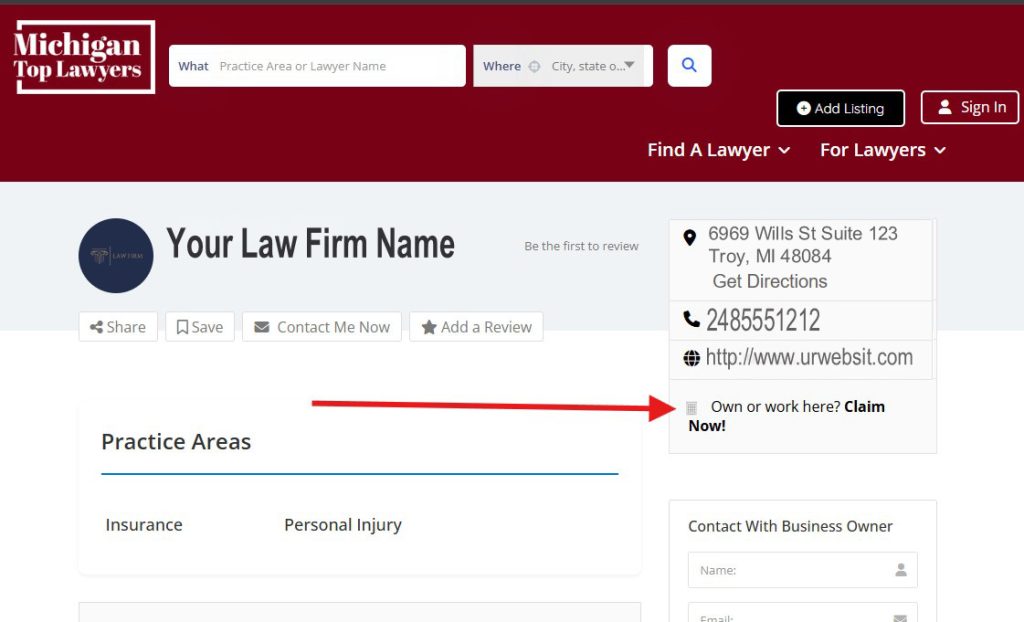
All claims are manually reviewed and approved to ensure accuracy and authenticity. Once approved, you’ll receive an email notification confirming your claim.
Please allow up to 3 business days for the review and approval process.
To report a listing, click on the “Want to report this? Report Now!” link located on the listing page.
Fill out the form explaining why you are reporting the listing, and then submit your request.
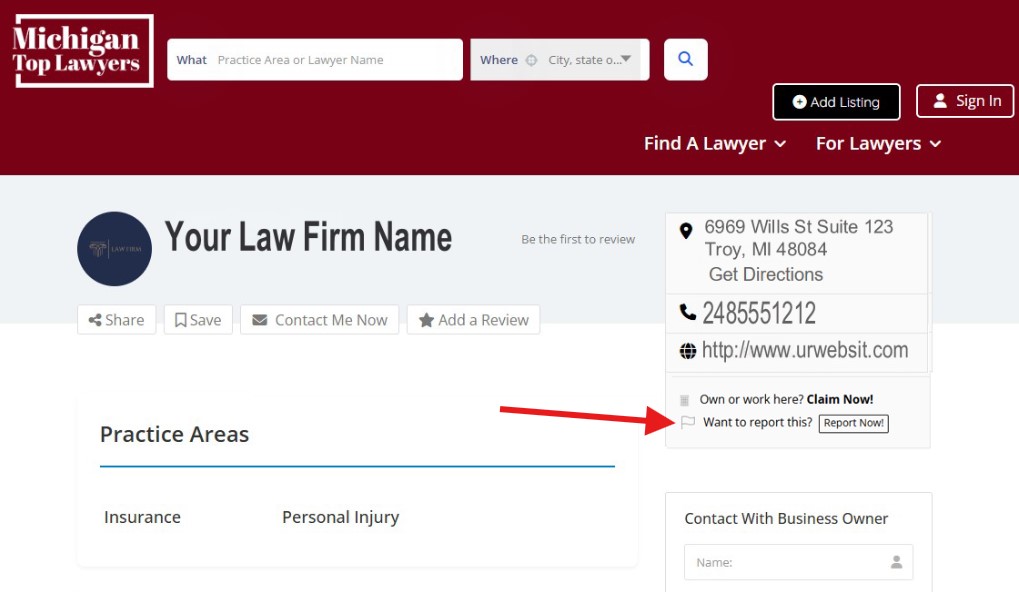
Our team will review the report manually and take appropriate action if necessary.
Please allow up to 3 business days for the review process.
After logging in to your account by clicking “Sign In” at the top right corner of the page, go to your Dashboard. See below.
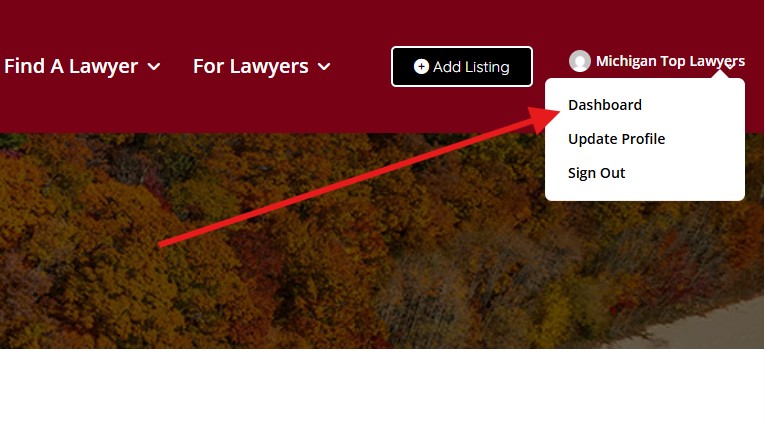
From there, you can manage your listings and subscriptions, update billing information, and view your active plans.